Oct 1, 2025

1. What makes MAKi different from Monday.com?
Monday.com is a project management tool at its core. You set up boards, input tasks, and track projects. It’s structured, but also rigid.
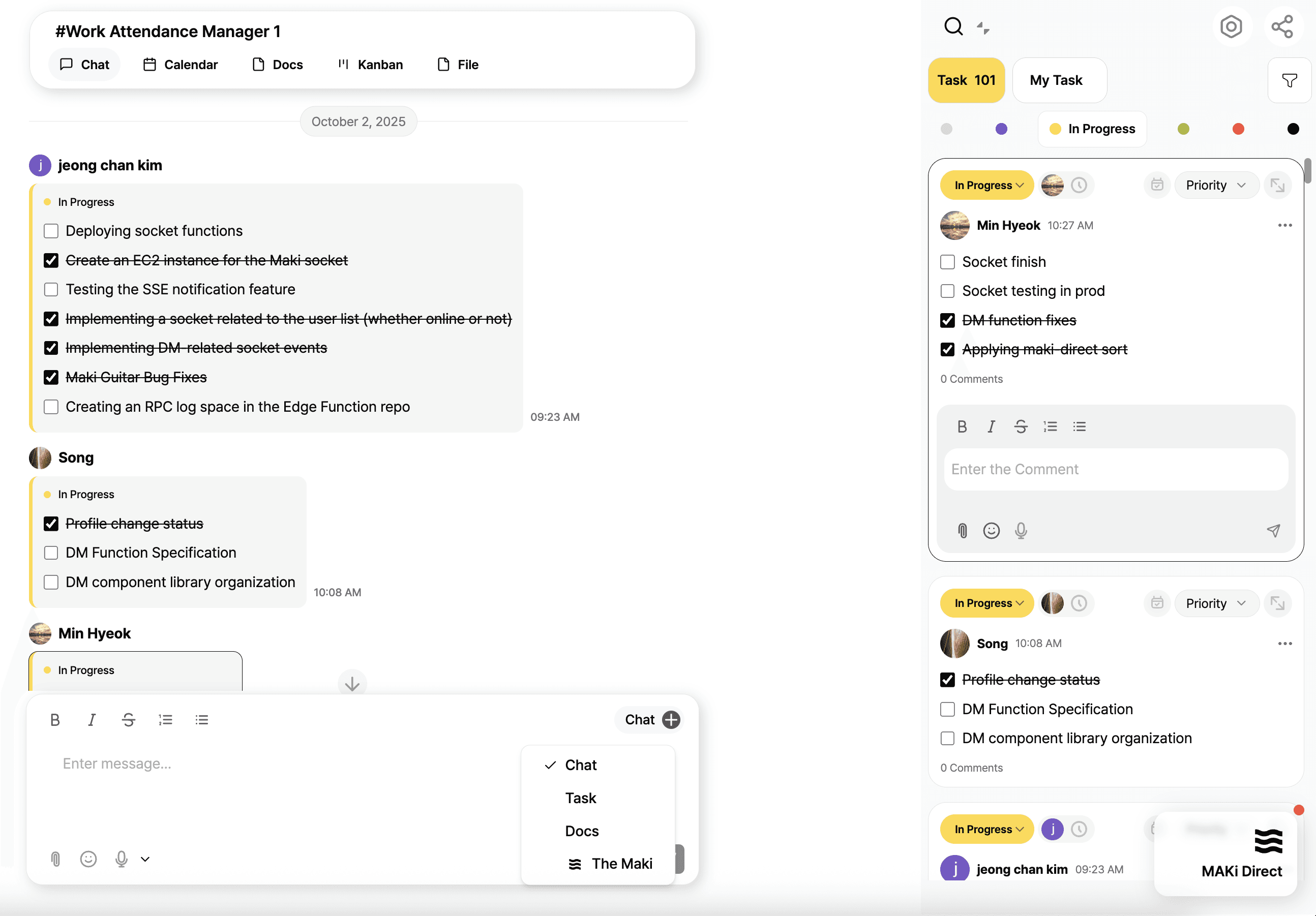
MAKi starts from a different philosophy: chat is where work begins. Instead of moving ideas into a separate board later, MAKi transforms every conversation text, voice, or shared file into tasks, docs, and deadlines automatically. It’s not just another tool added on top of your workflow. It’s a system that connects conversation directly to execution.
2. Can MAKi replace Monday.com for project management?
Yes, and in many cases, more seamlessly.
On Monday.com, you still have to manually log every task and update statuses.
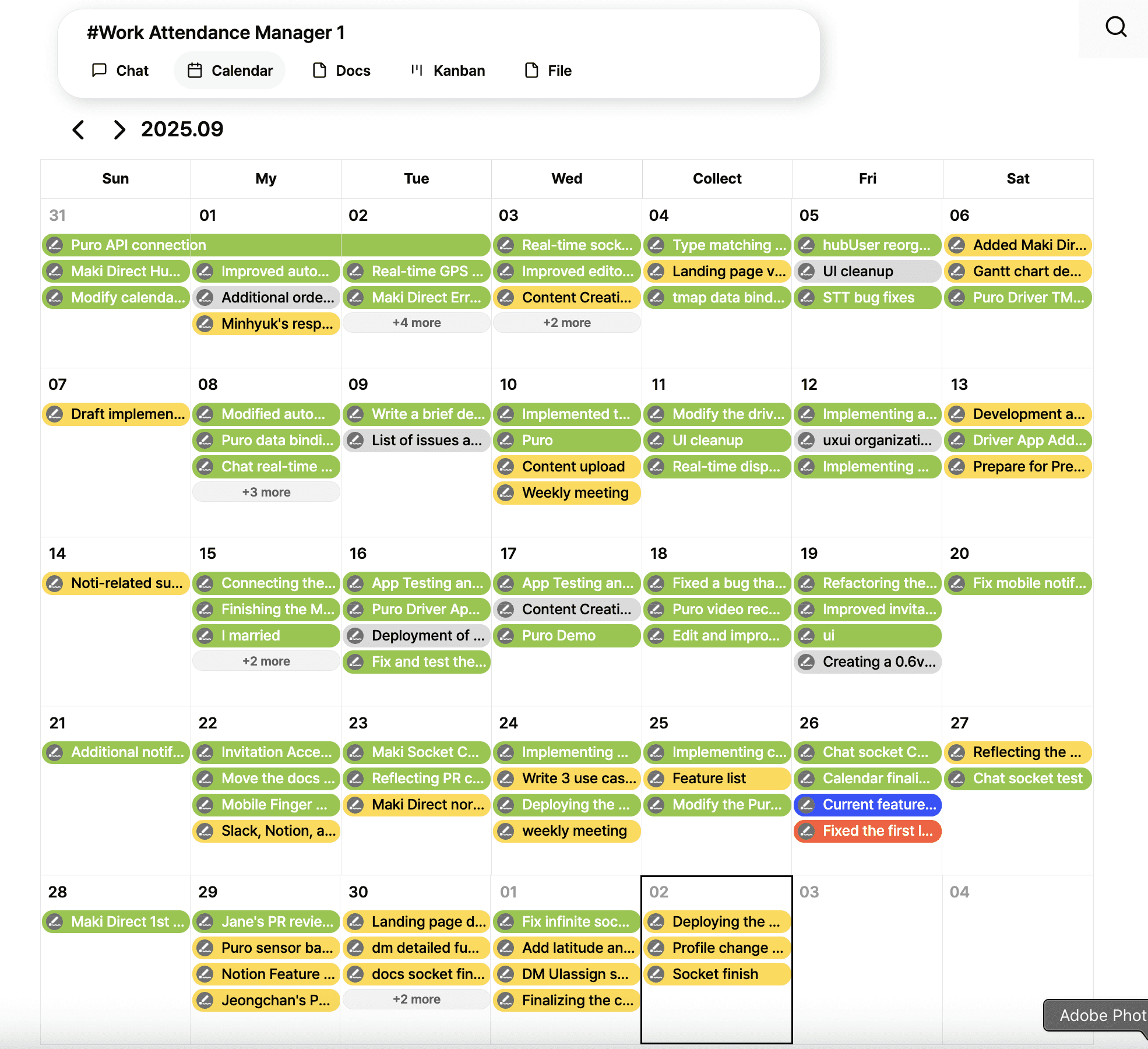
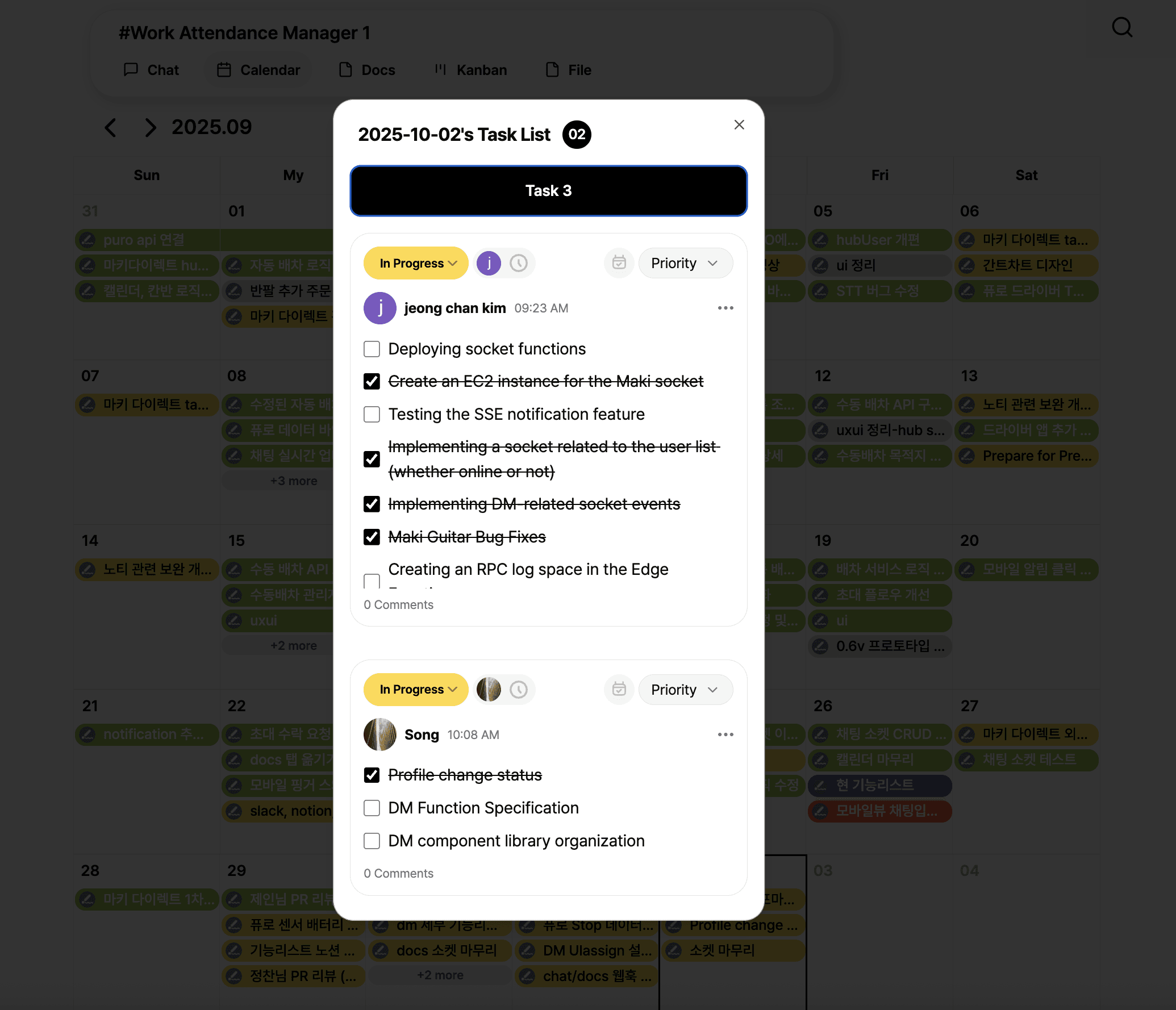
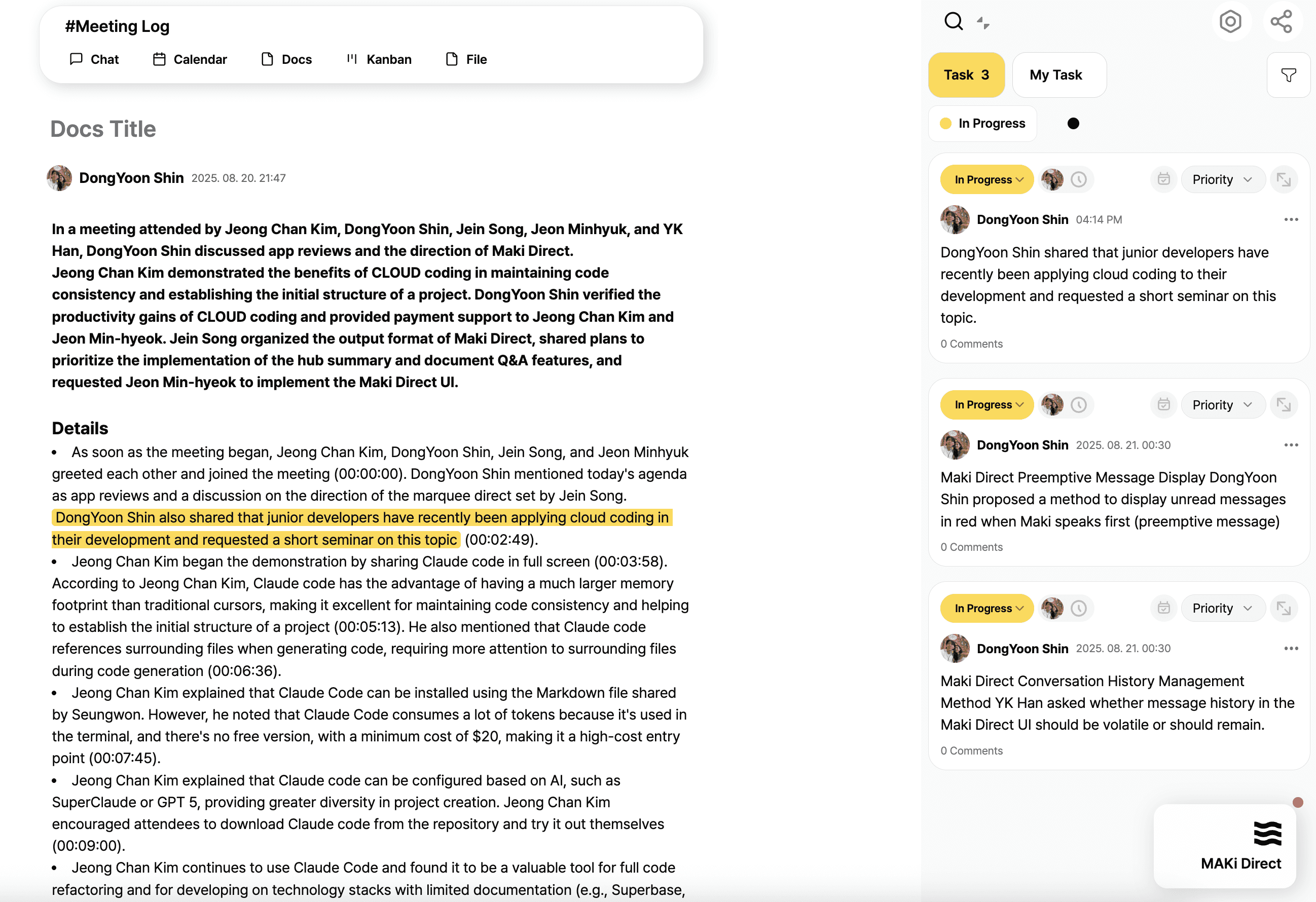
With MAKi, you simply talk. A new request in chat instantly becomes a tracked task. Meeting notes become structured docs. Deadlines are auto-added to your calendar. You still get project tracking, but with far less friction.
3. Which tool is easier to start using Monday.com or MAKi?
Monday.com requires templates, setup, and a learning curve. It works well once configured, but the upfront effort is heavy.
MAKi is plug-and-play. You create a hub (like a group chat), invite your team, and start working. No complex setup, no training needed. The AI does the organizing for you.
4. Does MAKi integrate chat and tasks better than Monday.com?
This is MAKi’s biggest edge.
Monday.com is task-first.
If you want to chat, you usually end up in Slack, Teams, or WhatsApp, and then duplicate the info back into Monday.
MAKi removes that gap: the chat is the workspace. It’s the hub where conversations, tasks, docs, and deadlines stay connected.
5. How does AI work in MAKi compared to Monday.com?
Monday.com recently added AI features, but they’re bolt-ons: summaries, insights, suggestions. Helpful, but not core.
In MAKi, AI is built-in from day one. It automatically extracts tasks, generates docs from voice notes, tracks deadlines, and even reminds you of what’s slipping. Instead of being an assistant on the side, MAKi’s AI is your coworker at the center.
6. Is MAKi better for freelancers and small teams than Monday.com?
Absolutely.
Freelancers, agencies, and startups don’t want to spend hours managing tools. They need to capture feedback, track deliverables, and hit deadlines without extra overhead.
MAKi gives them exactly that. Start a chat with a client, and everything tasks, files, deadlines is organized automatically. It’s light, fast, and flexible.
7. Can MAKi also handle documents like Notion, or just tasks like Monday.com?
Monday.com is great for tasks, but its document handling is limited.
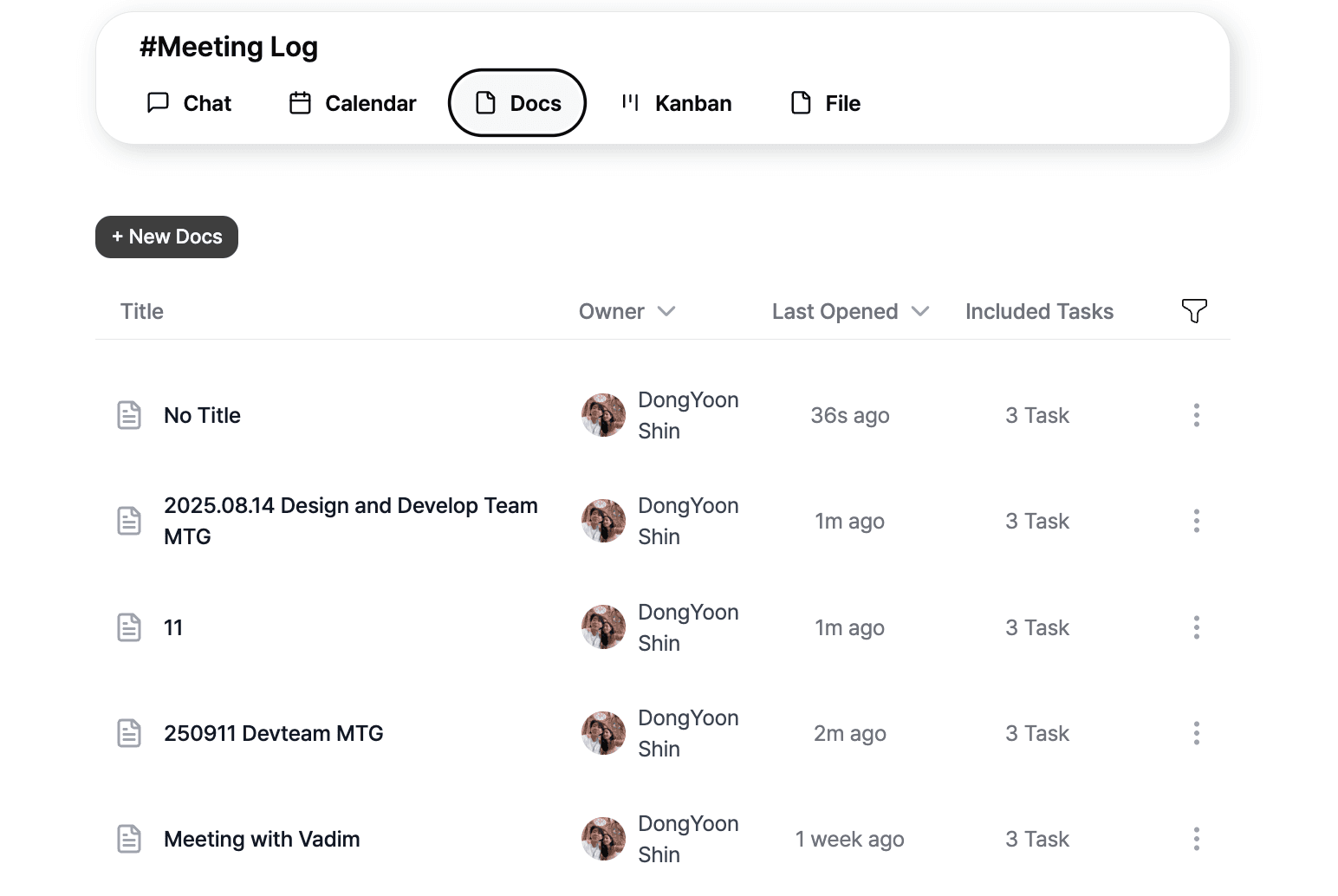
MAKi goes further. Voice recordings become auto-generated docs with summaries and action items. Project discussions turn into structured notes without anyone writing them manually. In this way, MAKi covers both task management and knowledge management.
8. What about deadlines and tracking is MAKi reliable?
Yes. Monday.com requires someone to enter deadlines and assign owners. If you forget, things fall through the cracks.
MAKi’s AI catches deadlines and assignees directly from conversation. Say “Let’s finish by Friday” in chat, and Friday becomes the task’s due date. Tracking happens naturally, without someone acting as a project manager.
9. Who should still use Monday.com instead of MAKi?
If your company already has hundreds of users, deeply structured processes, and PMs who rely on rigid templates, Monday.com is still a strong option.
But if you’re in a fast-moving environment creative teams, startups, agencies, consultants you’ll find MAKi removes friction and saves hours every week.
10. So, should I switch from Monday.com to MAKi?
If most of your work starts in chat (Slack, WhatsApp, Teams), MAKi is the natural upgrade. It keeps your conversations alive by turning them into tasks, docs, and deliverables automatically.
Instead of stacking tools chat + Monday.com + Notion + Asana you get one clean system where conversation is execution.
Feature | Monday.com | MAKi |
|---|---|---|
Collaboration Base | Task boards | Chat-first hub |
Task Creation | Manual input | Auto from chat & voice |
Docs | Limited | Auto-generated from convos |
AI Role | Add-on (summaries, recs) | Core (tasks, docs, calendar) |
Ease of Use | Setup-heavy | Just start chatting |
Best For | Structured large orgs | Startups, pros, creative teams |