Stop losing work in chat. Start organizing it.
Stop losing work in chat. Start organizing it.
Join the teams who turned their conversations into their competitive advantage
Join the teams who turned their conversations into their competitive advantage
Join the teams who turned their conversations into their competitive advantage
Set up in 5 minutes. Cancel anytime.
Set up in 5 minutes. Cancel anytime.
Get Started Free - No Credit Card
Get Started Free - No Credit Card
Docs Guide
Create documents instantly from chat or directly in the Docs tab.
Docs in MAKi are designed for fast documentation and real-time collaboration.
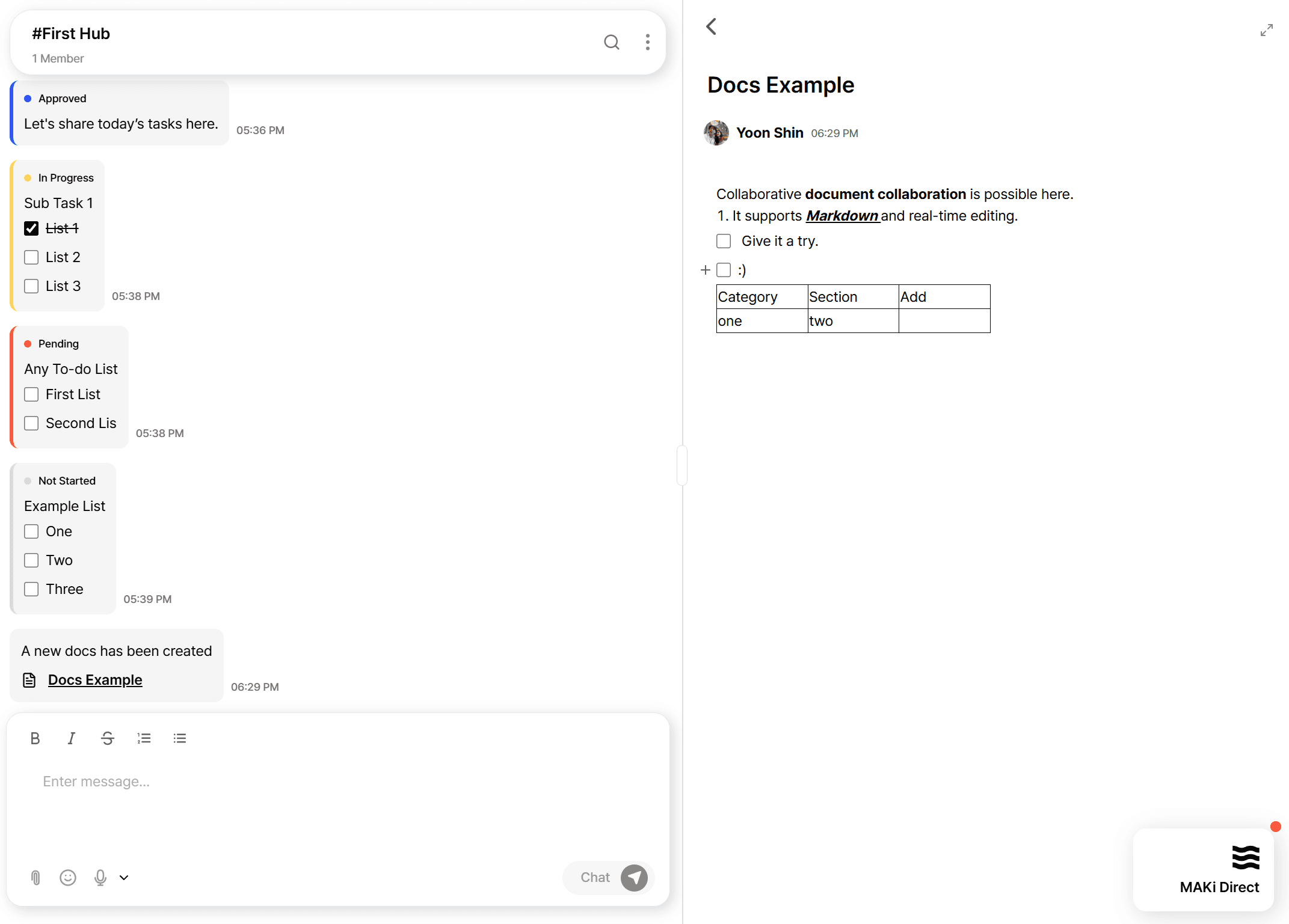
You can create a document anywhere you work: inside chat or from the right-side Docs panel.
Create documents instantly from chat or directly in the Docs tab.
Docs in MAKi are designed for fast documentation and real-time collaboration.
You can create a document anywhere you work: inside chat or from the right-side Docs panel.
Creating Docs from Chat
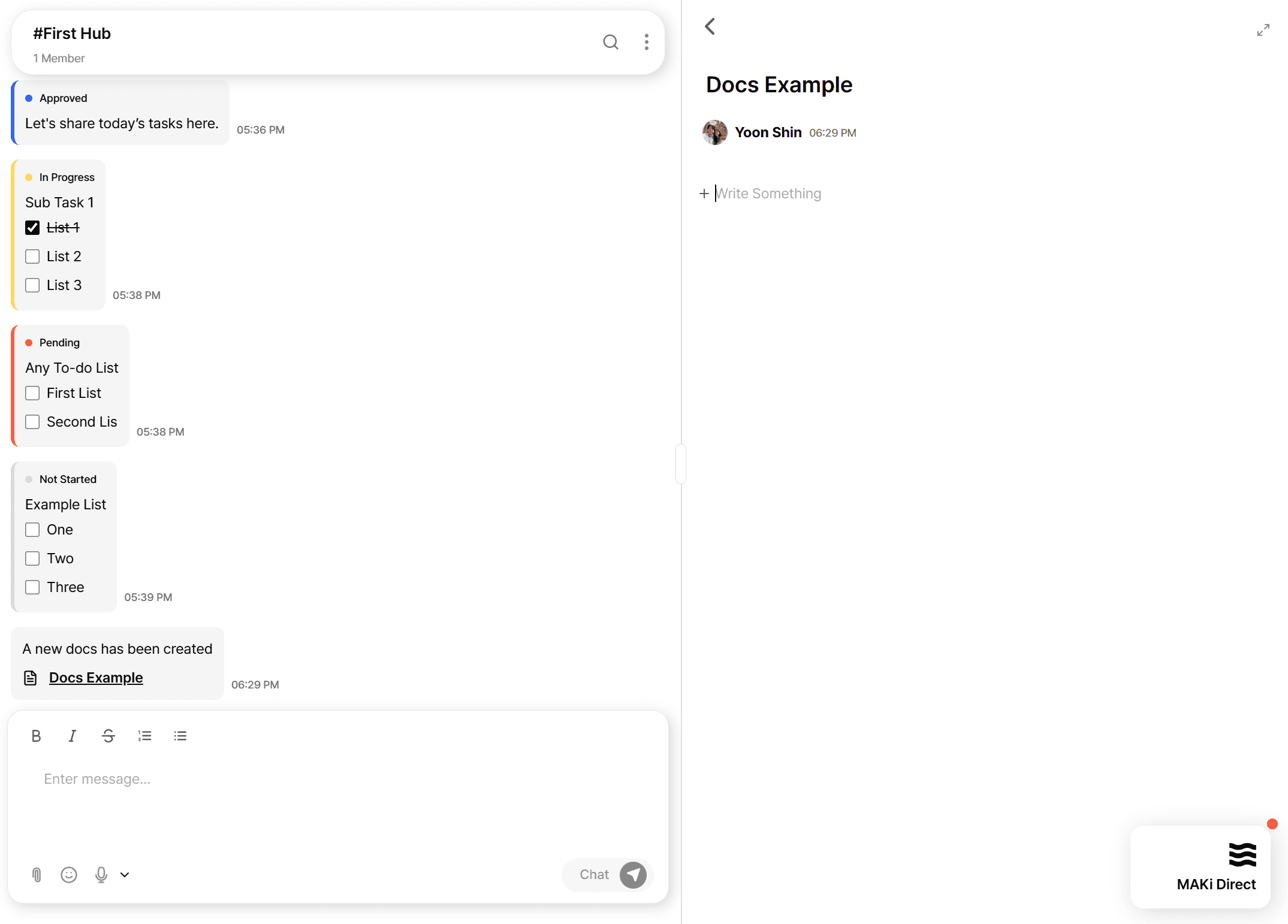
Sometimes you’re discussing something in chat and need a document right away.
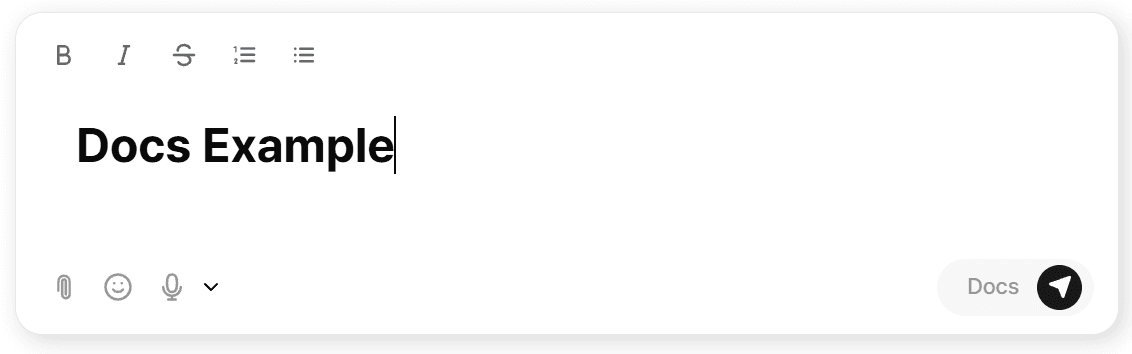
Just switch the message mode to Docs and send.
MAKi will:
Create a new document
Add a message saying “A new doc has been created”
Link the doc directly to the conversation
This connects the doc to its original context, making it easy for anyone to understand why it was created.
Creating Docs from Chat
Sometimes you’re discussing something in chat and need a document right away.
Just switch the message mode to Docs and send.
MAKi will:
Create a new document
Add a message saying “A new doc has been created”
Link the doc directly to the conversation
This connects the doc to its original context, making it easy for anyone to understand why it was created.
Creating Docs from the Docs Panel
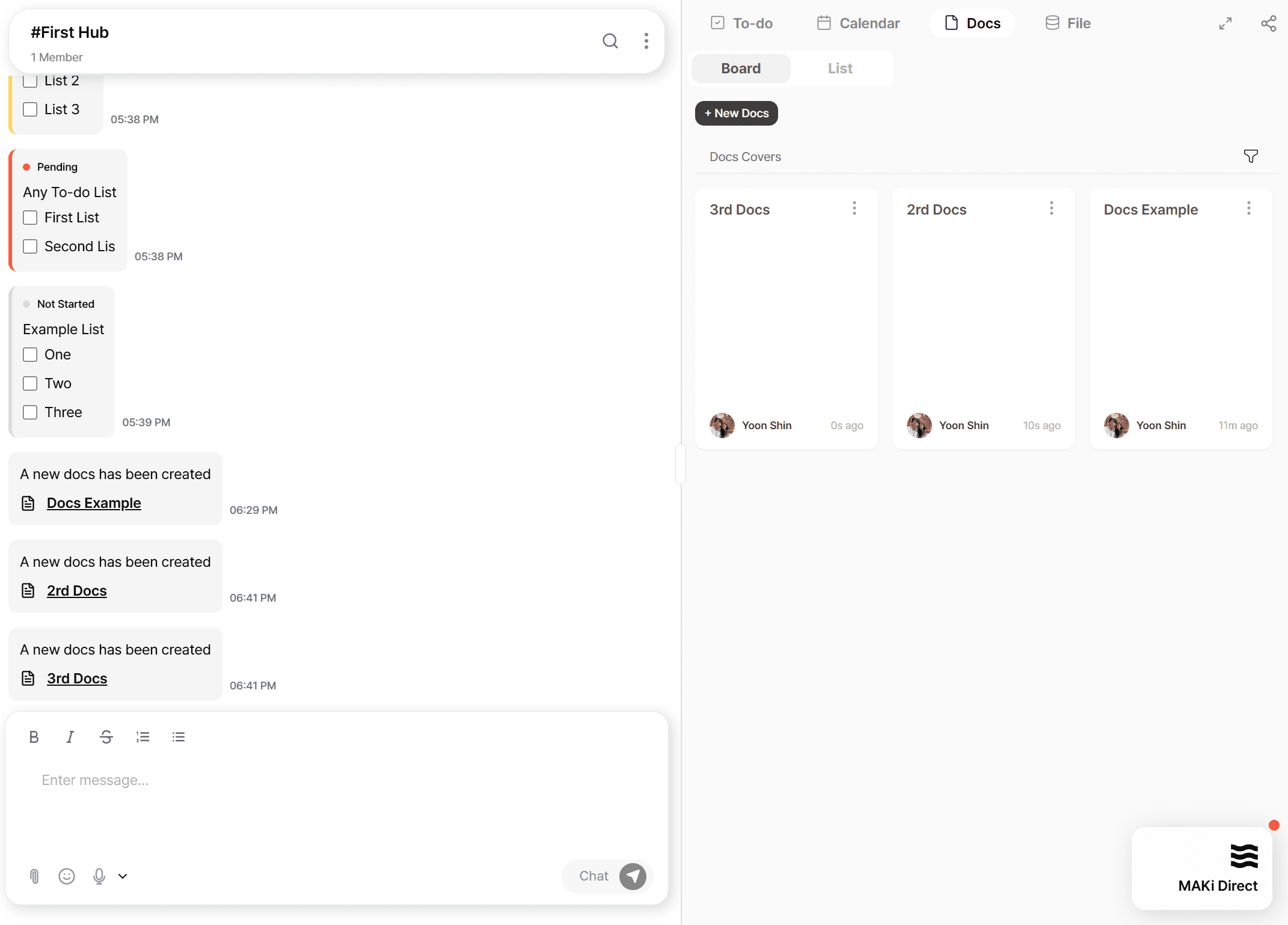
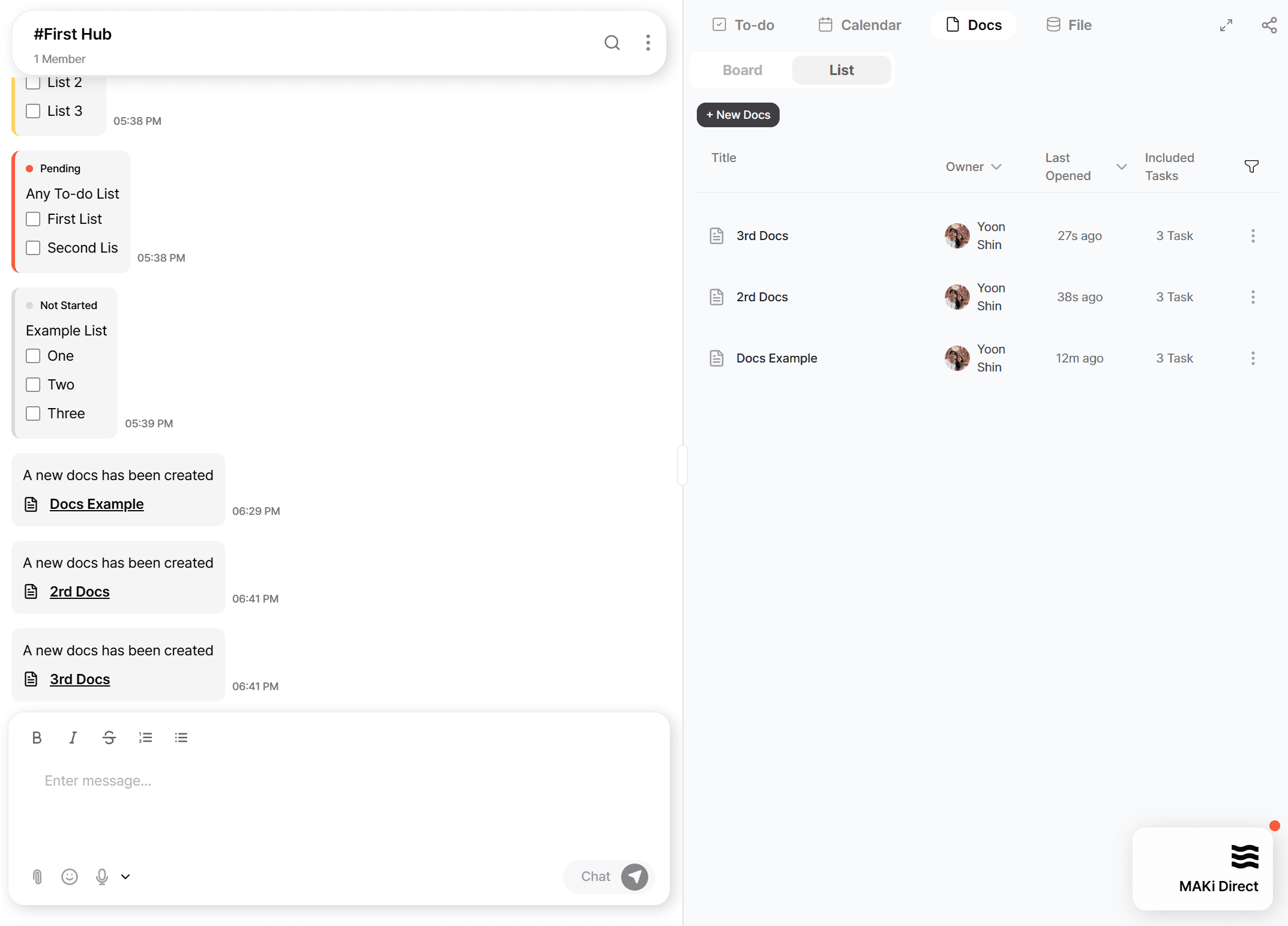
On the right side of the workspace, open the Docs tab.
From here you can:
Create new docs
View all existing docs
Switch between Thumbnail View and List View
This gives you both a visual layout for browsing and a structured list for quick access.
Creating Docs from the Docs Panel
On the right side of the workspace, open the Docs tab.
From here you can:
Create new docs
View all existing docs
Switch between Thumbnail View and List View
This gives you both a visual layout for browsing and a structured list for quick access.
Collaborative, Real-Time Editing
Every document in MAKi supports:
Markdown formatting
Real-time collaboration
Tables, checklists, rich text, and structured writing
Multiple teammates can edit the doc simultaneously and see updates instantly.
Collaborative, Real-Time Editing
Every document in MAKi supports:
Markdown formatting
Real-time collaboration
Tables, checklists, rich text, and structured writing
Multiple teammates can edit the doc simultaneously and see updates instantly.
Always Connected to Your Hub
Each document belongs to the Hub where it was created, ensuring:
Clear organization
Easy discovery
Context preserved between chat, tasks, and docs
Docs naturally stay tied to your workflow, not floating separately.
Always Connected to Your Hub
Each document belongs to the Hub where it was created, ensuring:
Clear organization
Easy discovery
Context preserved between chat, tasks, and docs
Docs naturally stay tied to your workflow, not floating separately.
Why It Matters
Most tools make you stop the conversation to “go write a doc.”
With MAKi, documentation is simply another expression of your conversation.
You’re already talking.
MAKi simply turns it into structured knowledge.
Why It Matters
Most tools make you stop the conversation to “go write a doc.”
With MAKi, documentation is simply another expression of your conversation.
You’re already talking.
MAKi simply turns it into structured knowledge.
Stop losing work in chat.
Start organizing it.
Join the teams who turned their conversations
into their competitive advantage
Set up in 5 minutes. Cancel anytime.
Get Started Free - No Credit Card