Stop losing work in chat. Start organizing it.
Stop losing work in chat. Start organizing it.
Join the teams who turned their conversations into their competitive advantage
Join the teams who turned their conversations into their competitive advantage
Join the teams who turned their conversations into their competitive advantage
Set up in 5 minutes. Cancel anytime.
Set up in 5 minutes. Cancel anytime.
Get Started Free - No Credit Card
Get Started Free - No Credit Card
Getting Started
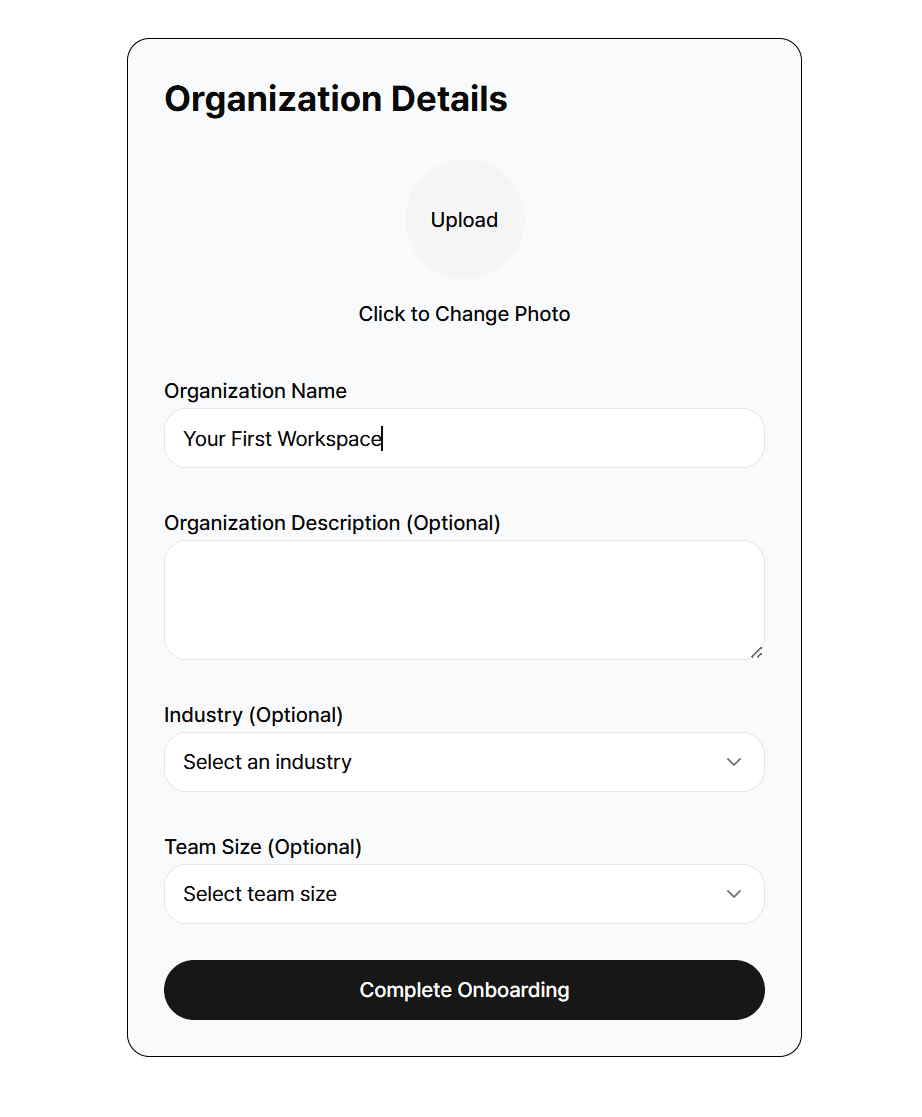
Set Up Your Workspace
Your workspace is where all your Hubs, members, tasks, docs, and files live.
When you first log in, MAKi will:
Create a default workspace for you
Guide you to create your first Hub
Help you invite teammates
You can always edit workspace information in
Settings → Workspace Info
Set Up Your Workspace
Your workspace is where all your Hubs, members, tasks, docs, and files live.
When you first log in, MAKi will:
Create a default workspace for you
Guide you to create your first Hub
Help you invite teammates
You can always edit workspace information in
Settings → Workspace Info
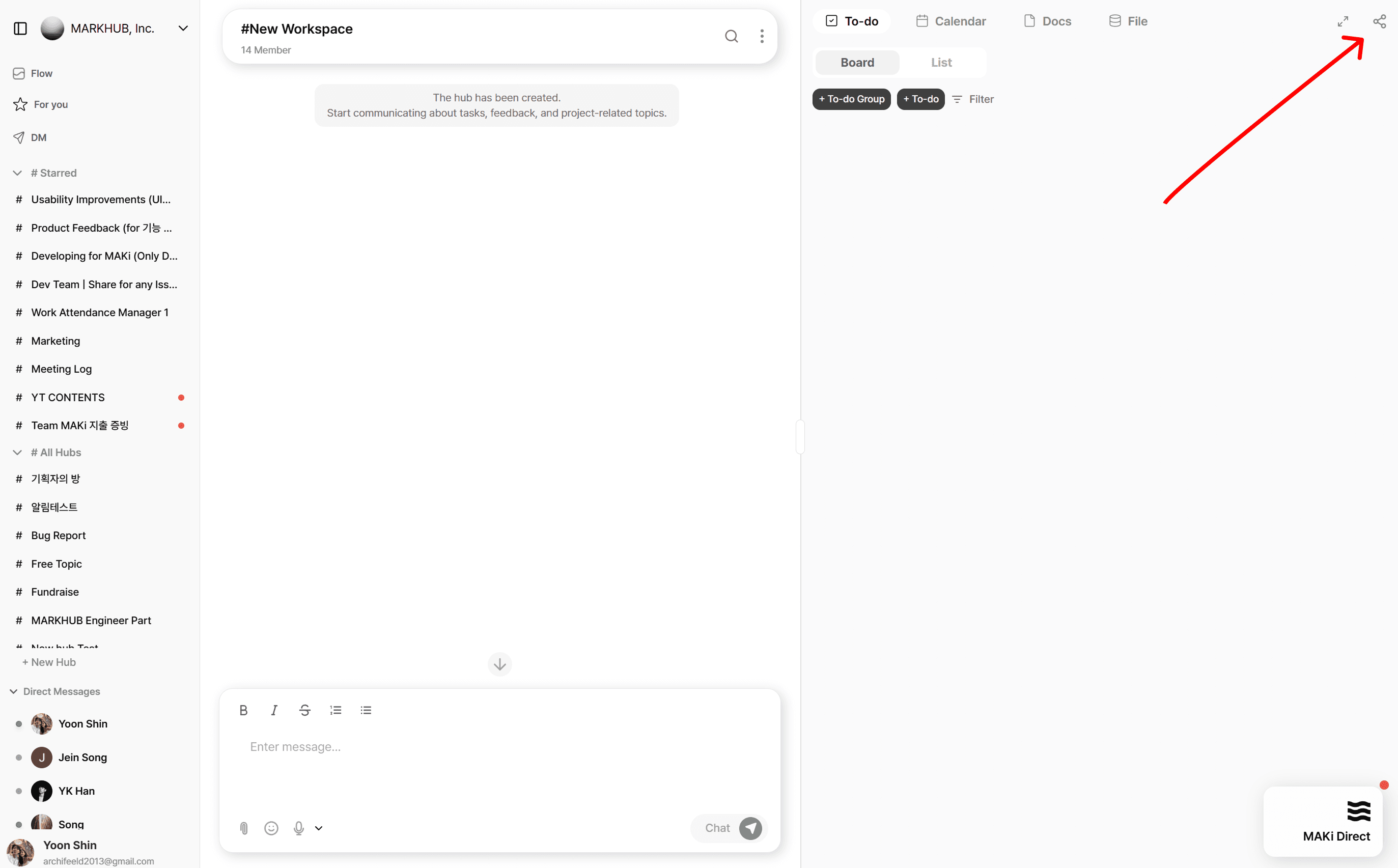
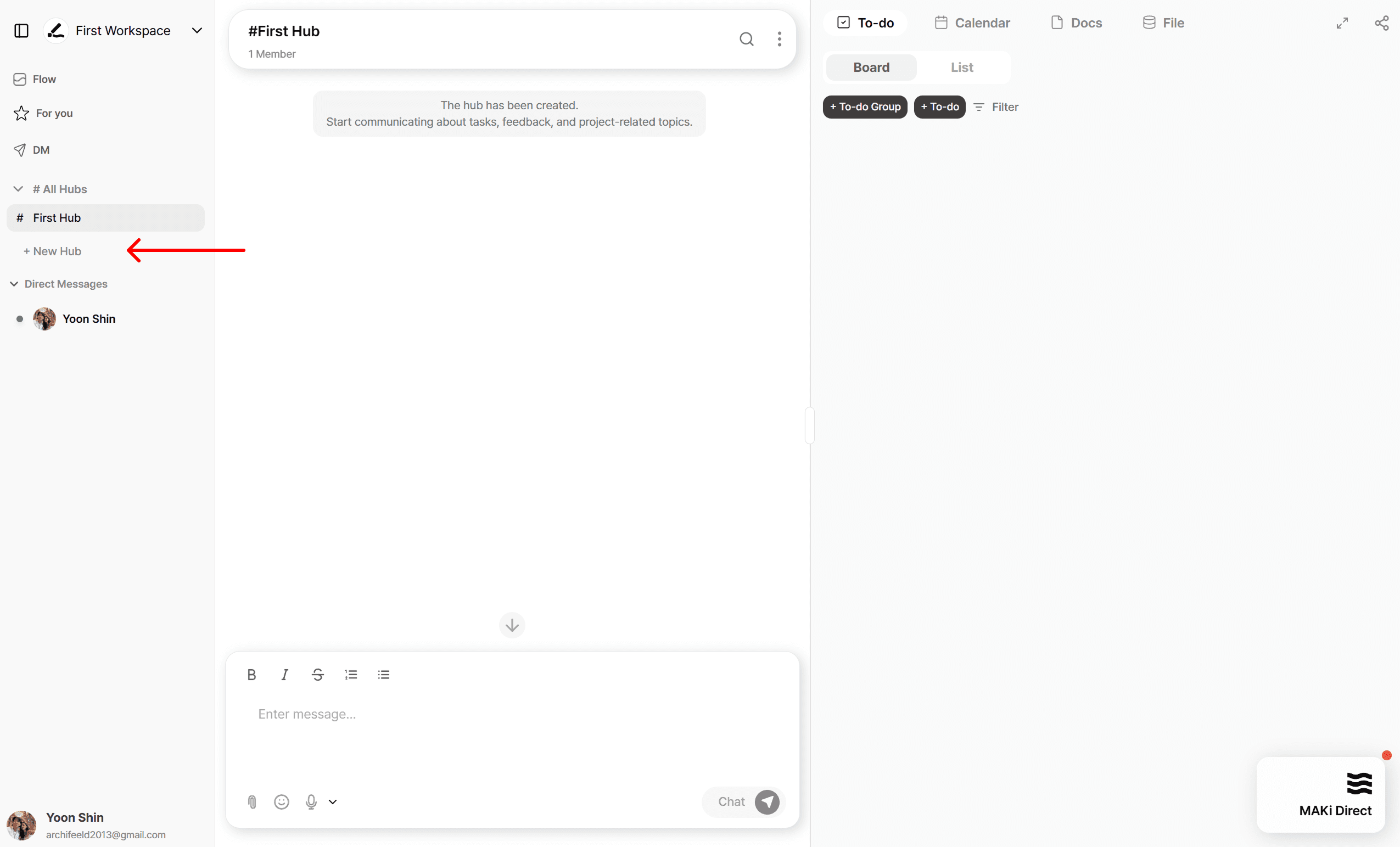
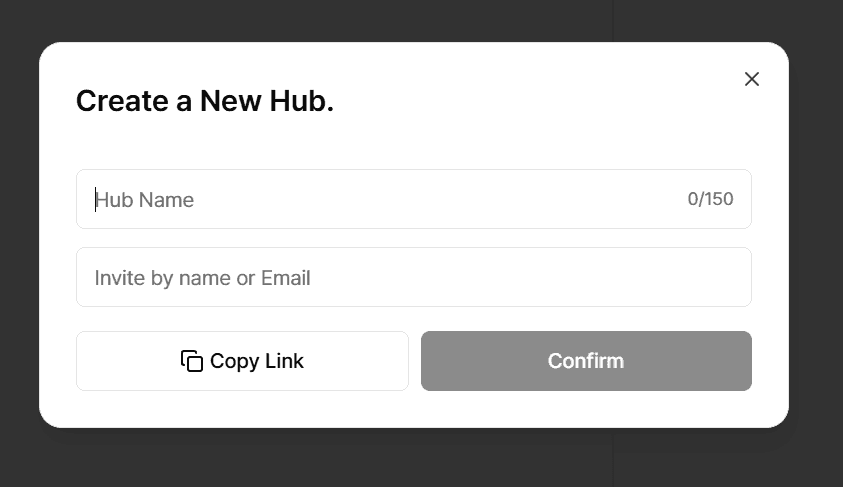
Create Your First Hub
A Hub is the core unit of work in MAKi similar to a Slack channel + Linear project + Notion folder combined.
Use a Hub for:
A team (e.g., Marketing, Design, Engineering)
A project (e.g., App Redesign, MVP Launch)
A client (e.g., ACME Corp.)
A workflow (e.g., Bug Report, Product Feedback)
Create Your First Hub
A Hub is the core unit of work in MAKi similar to a Slack channel + Linear project + Notion folder combined.
Use a Hub for:
A team (e.g., Marketing, Design, Engineering)
A project (e.g., App Redesign, MVP Launch)
A client (e.g., ACME Corp.)
A workflow (e.g., Bug Report, Product Feedback)
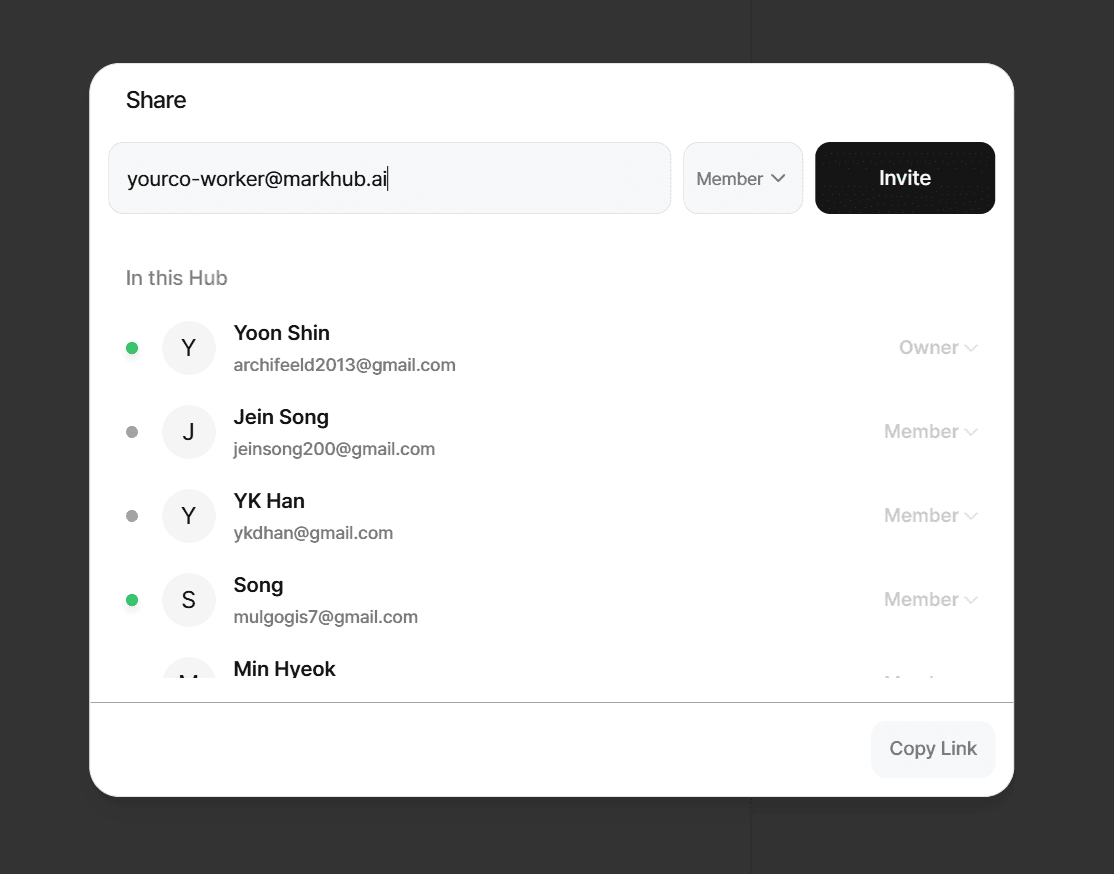
3. Invite Your Team
Collaboration begins when your teammates join.
Invite ways:
Email invitation
Shareable link
Workspace admin invite
3. Invite Your Team
Collaboration begins when your teammates join.
Invite ways:
Email invitation
Shareable link
Workspace admin invite
Stop losing work in chat. Start organizing it.
Join the teams who turned their conversations
into their competitive advantage
Set up in 5 minutes. Cancel anytime.
Get Started Free - No Credit Card