Stop losing work in chat. Start organizing it.
Stop losing work in chat. Start organizing it.
Stop losing work in chat. Start organizing it.
Join the teams who turned their conversations into their competitive advantage
Join the teams who turned their conversations into their competitive advantage
Join the teams who turned their conversations
into their competitive advantage
Join the teams who turned their conversations into their competitive advantage
Set up in 5 minutes. Cancel anytime.
Set up in 5 minutes. Cancel anytime.
Set up in 5 minutes. Cancel anytime.
Get Started Free - No Credit Card
Get Started Free - No Credit Card
Get Started Free - No Credit Card
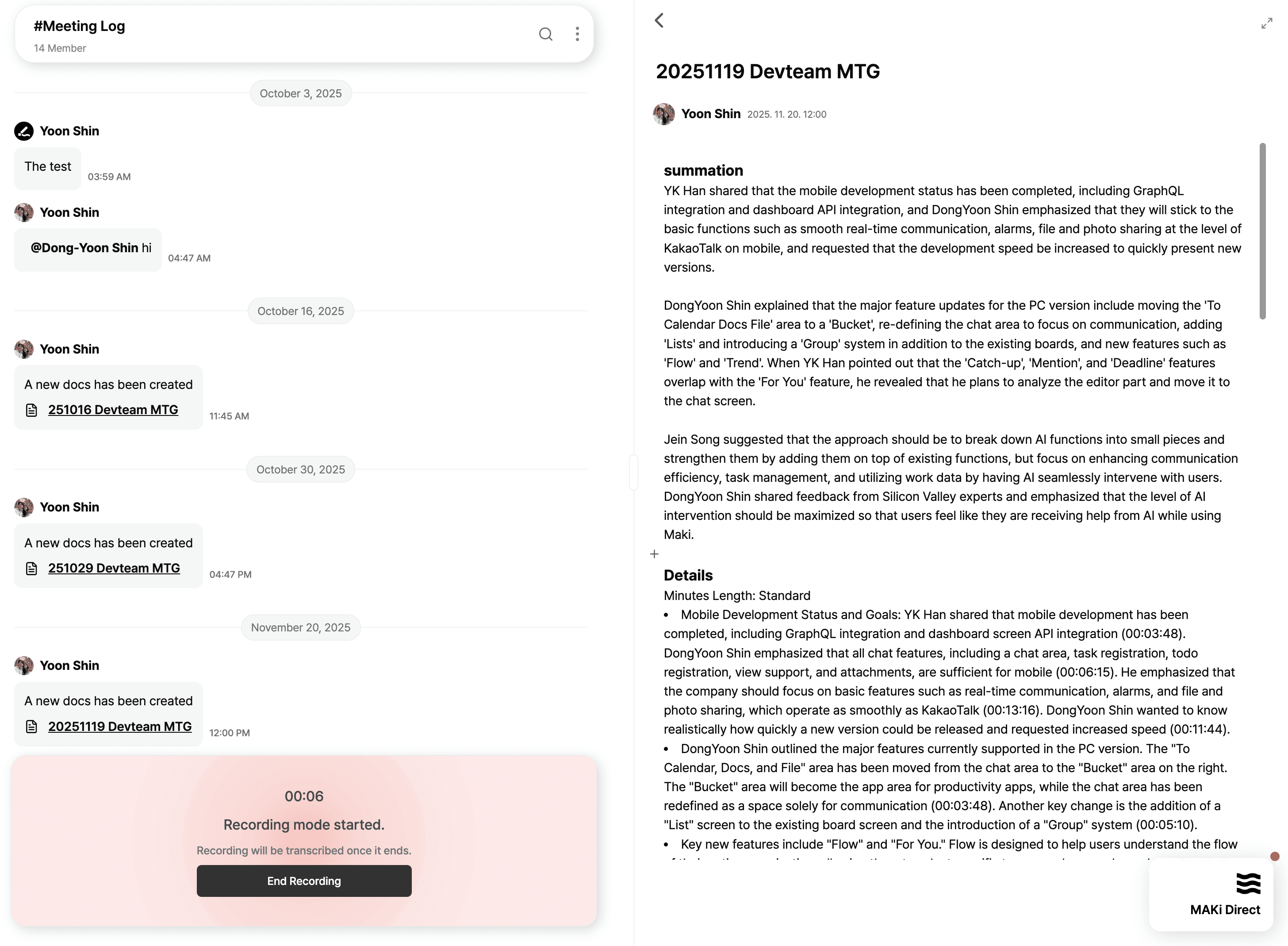
Offline Meeting Summary
Turn any offline meeting into an organized, AI-generated doc with one click.
MAKi lets you capture in-person discussions the same way you capture chat: effortlessly.
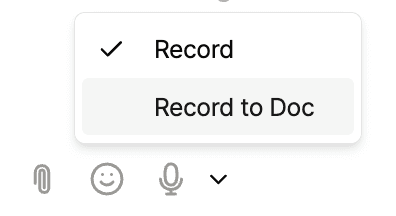
Just tap Record to Doc in the message box, speak, and MAKi handles the rest.
Turn any offline meeting into an organized, AI-generated doc with one click.
MAKi lets you capture in-person discussions the same way you capture chat: effortlessly.
Just tap Record to Doc in the message box, speak, and MAKi handles the rest.
How It Works
Click
Record to Docin the chat composer
– This starts a voice recording dedicated to a new doc.Speak naturally during your meeting
– MAKi records your voice in real time.When you stop recording, MAKi automatically:
Transcribes the entire meeting
Summarizes the content into a clean “Summary + Details” format
Organizes topics, timestamps, key decisions, and follow-ups
Saves everything into a new Docs file inside the Hub
Your team can edit together instantly
– The generated doc is collaborative, real-time, and fully Markdown-supported.
How It Works
Click
Record to Docin the chat composer
– This starts a voice recording dedicated to a new doc.Speak naturally during your meeting
– MAKi records your voice in real time.When you stop recording, MAKi automatically:
Transcribes the entire meeting
Summarizes the content into a clean “Summary + Details” format
Organizes topics, timestamps, key decisions, and follow-ups
Saves everything into a new Docs file inside the Hub
Your team can edit together instantly
– The generated doc is collaborative, real-time, and fully Markdown-supported.

Why It’s Powerful
No more taking minutes manually
No more losing decisions after a meeting
No switching tools all summaries live directly inside the Hub
Perfect for dev meetings, field ops briefings, sales calls, or stakeholder sessions
Why It’s Powerful
No more taking minutes manually
No more losing decisions after a meeting
No switching tools all summaries live directly inside the Hub
Perfect for dev meetings, field ops briefings, sales calls, or stakeholder sessions